
Our company has used Bugzilla to track the bugs in various products for years. With the recent move to Jira to manage our projects and track tasks, it was time to say goodbye to the Bugzilla and centralise the issue backlogs.
As we have had a long list of active and resolved issues in various projects, I decided to import all the issues to Jira to keep the historical record of what has happened. Generally it is a straight forward process if you have done the preparation.
Software versions:
Bugzilla: Ver. 4.4.6
Jira: Ver 7.2
Bugzilla Database: mysql
Jira Database: mysql
Jira comes with various plugins to import issues from different servers. It also includes a plugin for Bugzilla.
Preparation
$ mysql -u root -p ############mysql> CREATE USER'jiraimport'@'%'IDENTIFIED BY'mypassword';mysql> GRANT ALL PRIVILEGES ON bugs.* TO'jiraimport'@'%'IDENTIFIED BY 'mypassword'; mysql> flush privileges;
Import Process
Log in to the Jira with an Admin account.
Go to System –> and select External System Import from the left menu under the Import and Export section.
From the list of the plugins select Bugzilla as shown in below picture

enter the information about the Bugzilla server. as below picture shows. Make sure you tick the “Specify credentials” from the menu
 Select the products you want to migrate (products will be come Projects in Jira)
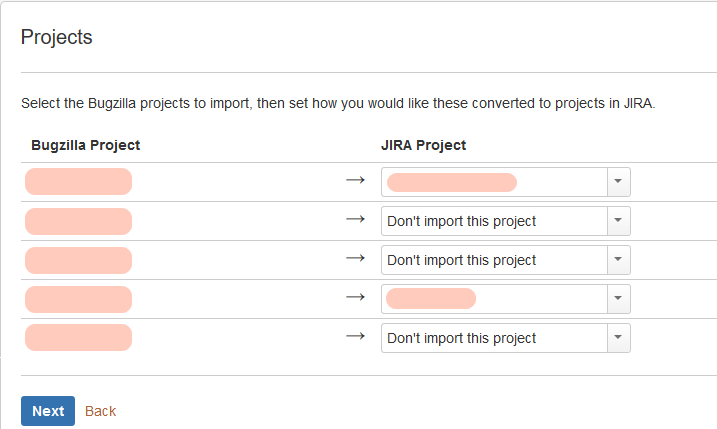 You can map products to an existing project, or create a new project in Jira or skip them.
Then you need to decide on mapping the custom fields.

In next step you decide on importing the Bugzilla fields as they are or map them into Jira fields.


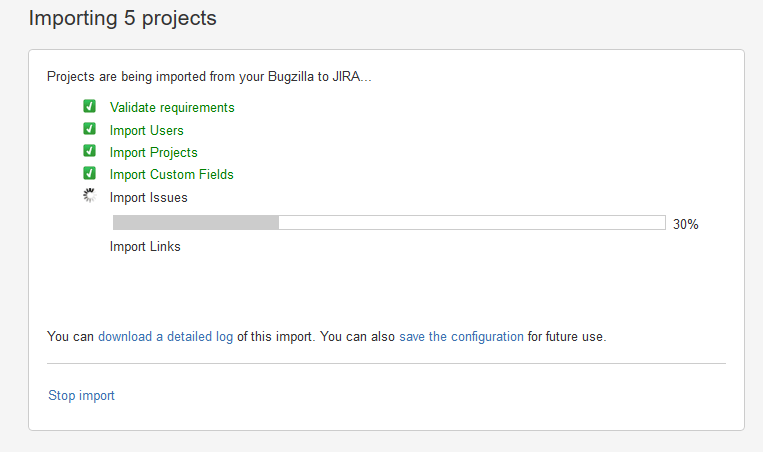 In next step, it will ask you to decide on what to do with the users. All these extra users were previous employees so I left them inactive. The good thing is they are not counted against your license and yet you can have their names next to the comments they have made and bugs they have work on.
 In last page it will give you a summary of what happened.
 The dependency links error shown below are related to the bugs in projects that I decided not to import. Somehow it still tries to import the links related to them and obviously fails. Safely we can ignore these errors.
Hello Saeed,
I am not able to see find bugzilla plugin in my Jira Cloud, recently I created Jira cloud account and I followed all your steps but I am not getting bugzilla plugin in Jira cloud.
Same here, not able to see bugzilla plugin.
It says CSV, JSON only